Your reloading logbook, now on the big screen
LoadNode Web is reloading software in your browser. Every load, shot and group you log in the app, on a full screen: compare loads side by side, read every point on every chart, mark up your targets, keep your inventory, and print the reports.
Part of LoadNode Pro: one purchase, for life, in the app or right here on the web. Update the app to 2.1.10 or later, then sign in with the same account. No install, no subscription.
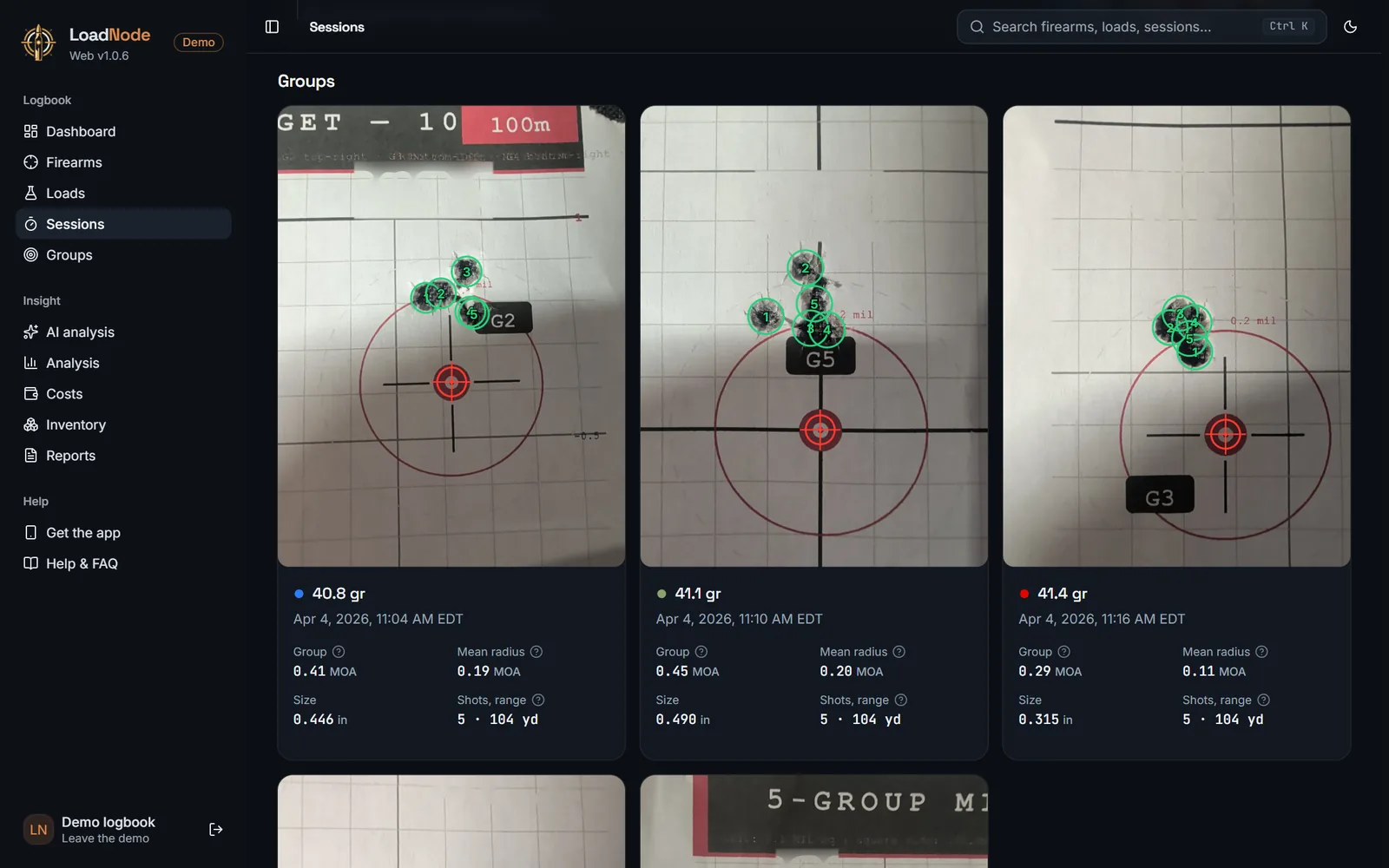
Every group on its photo, every hole marked
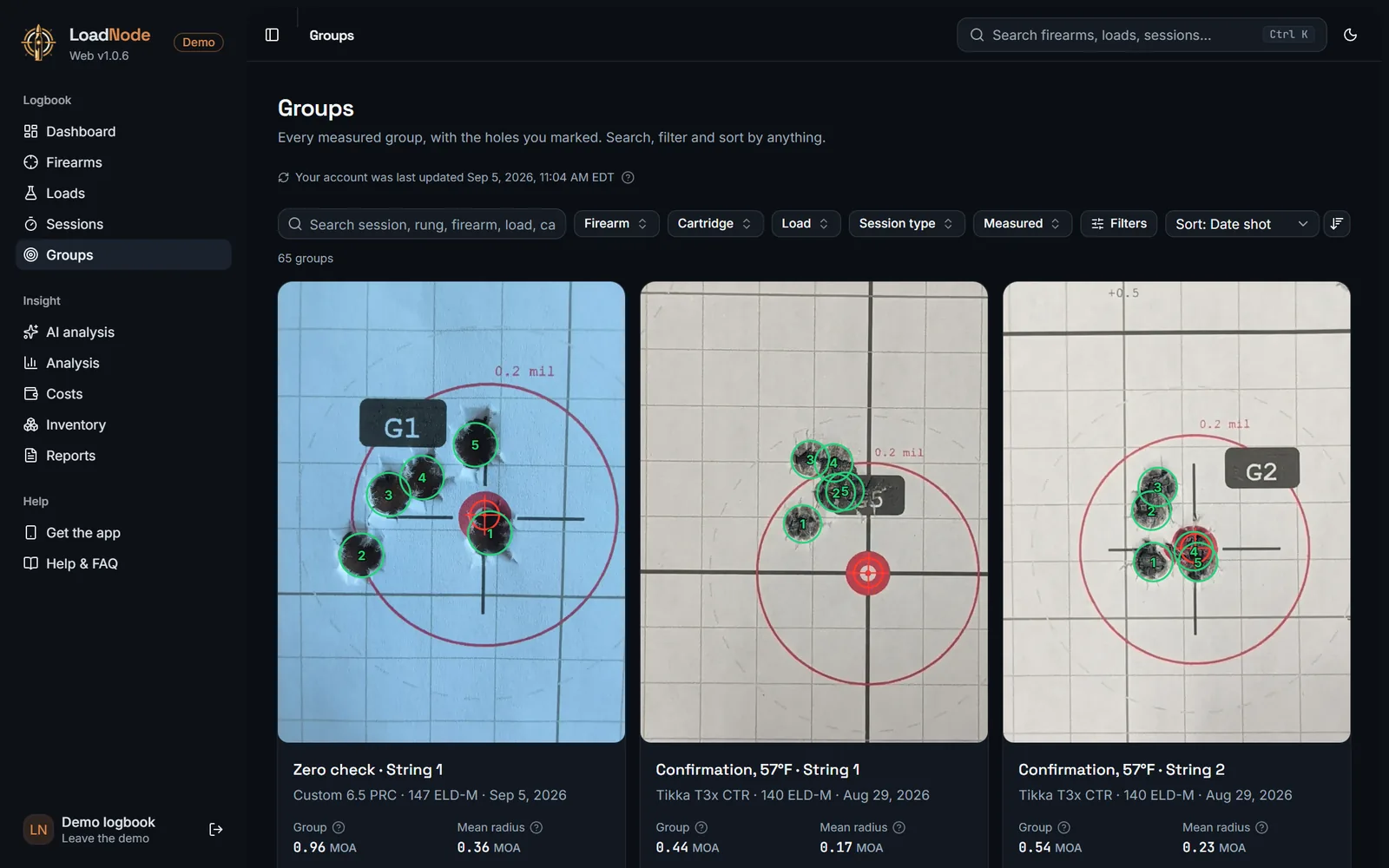
The targets you measure in the app, at a size you can actually read. Each group sits on its photo with the holes you marked and the point of aim, next to its size and mean radius in MOA or MIL.
- A gallery of every measured group, searchable and sortable
- Group size, mean radius, shots and range on every card
- The AI read you saved with a group, right beside it
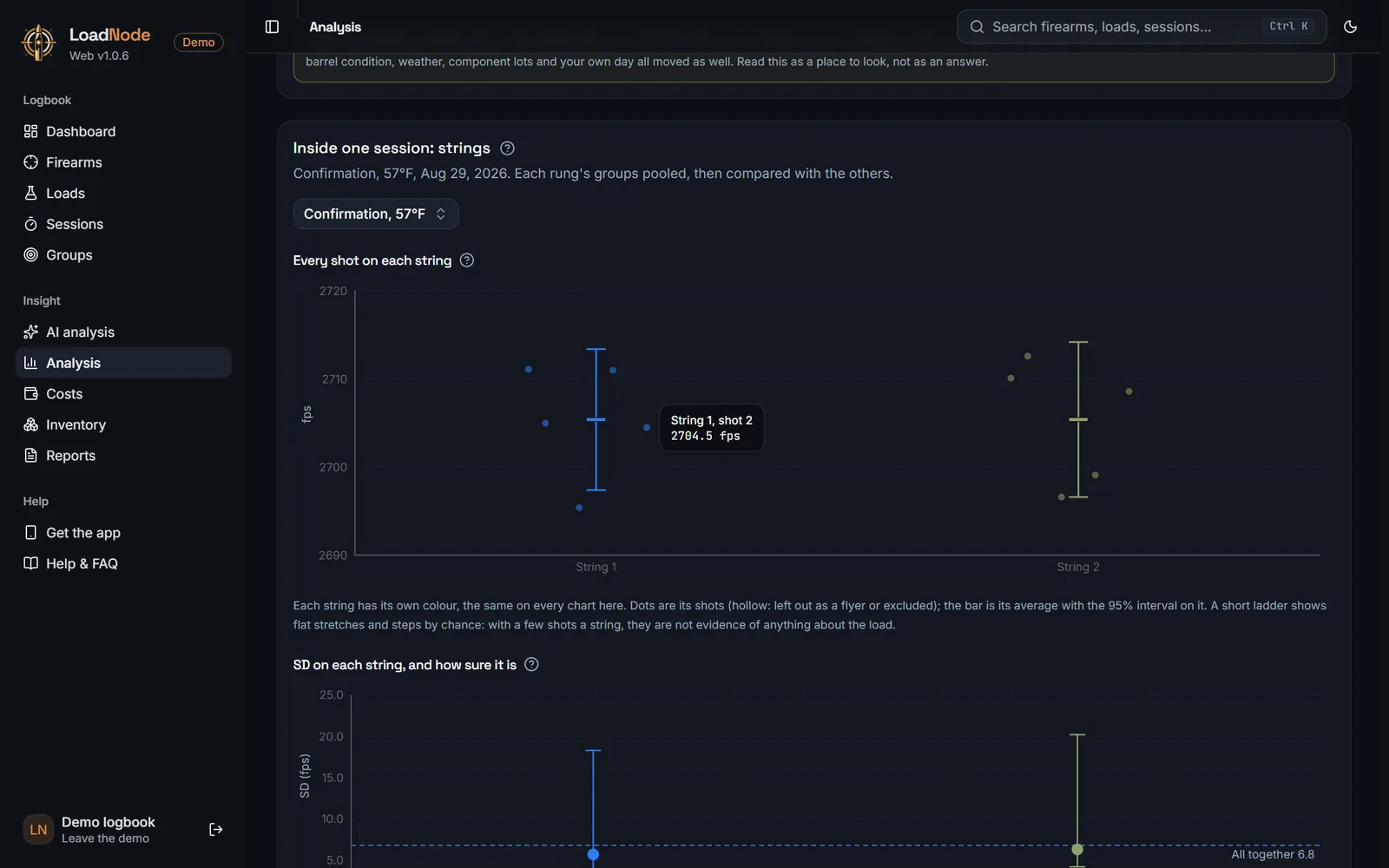
Charts you can read point by point
Velocity against charge, SD with its confidence interval, group size against velocity, every shot of every string. Point at any dot and it tells you exactly what it is: which load, which shot, which session. Points that land on top of each other are listed together, so nothing hides.
- Charge ladders, seating tests and group tests, charted the way the app charts them
- Pooled figures across strings, with the SD read within each string
- Temperature and barrel wear trends across a season
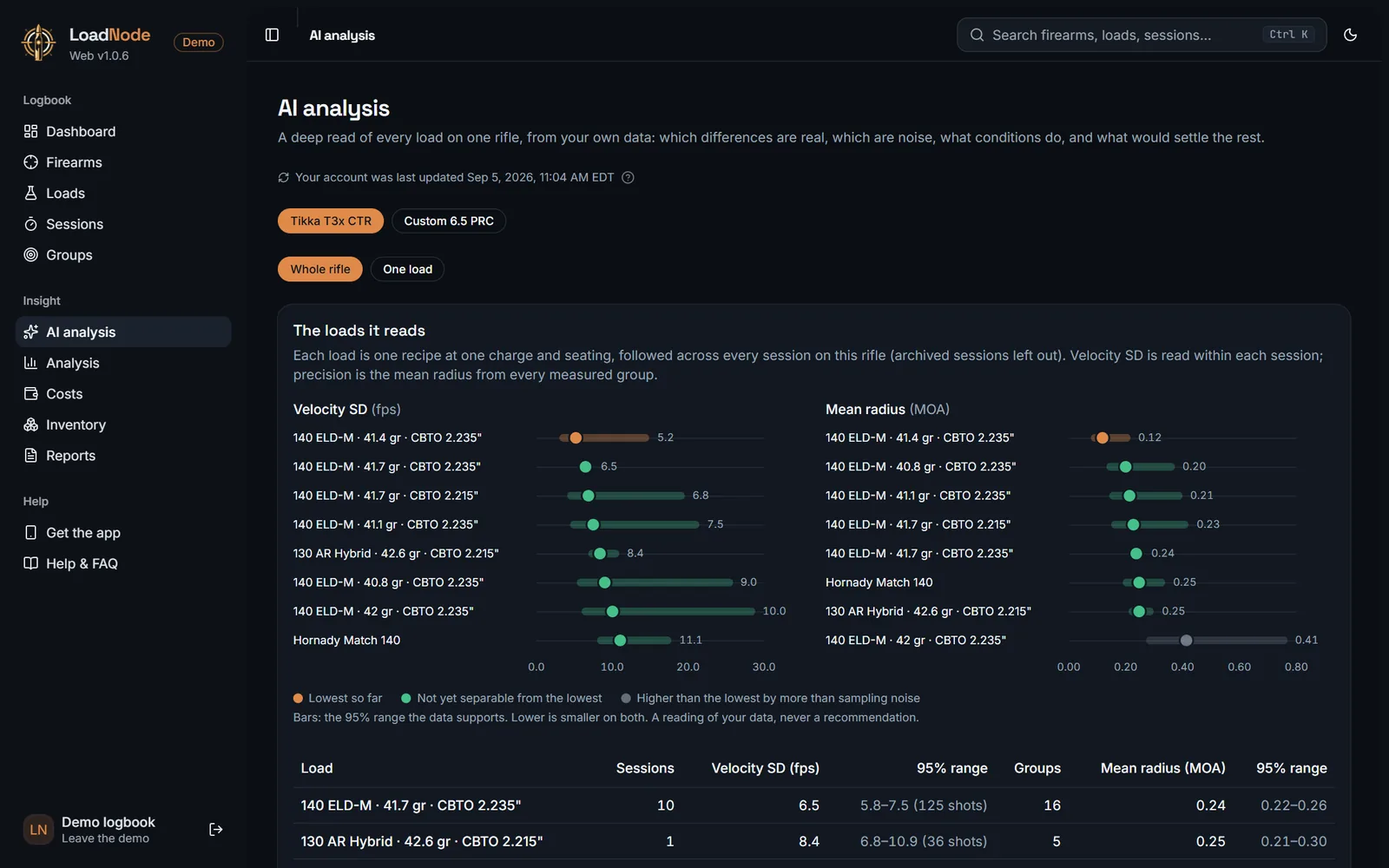
Read a whole rifle at once
AI analysis on the web reads every load on a rifle, or one load across its sessions, from your own data: which differences between your loads are real, which are still within the noise, what the conditions did, and what would settle the rest. It ranks; it never prescribes.
- Velocity SD and mean radius of each load, with their 95% ranges
- Pick the loads to compare, or let it take the ones with the most data
- Uses the same AI analysis credits as the app
What every round really costs
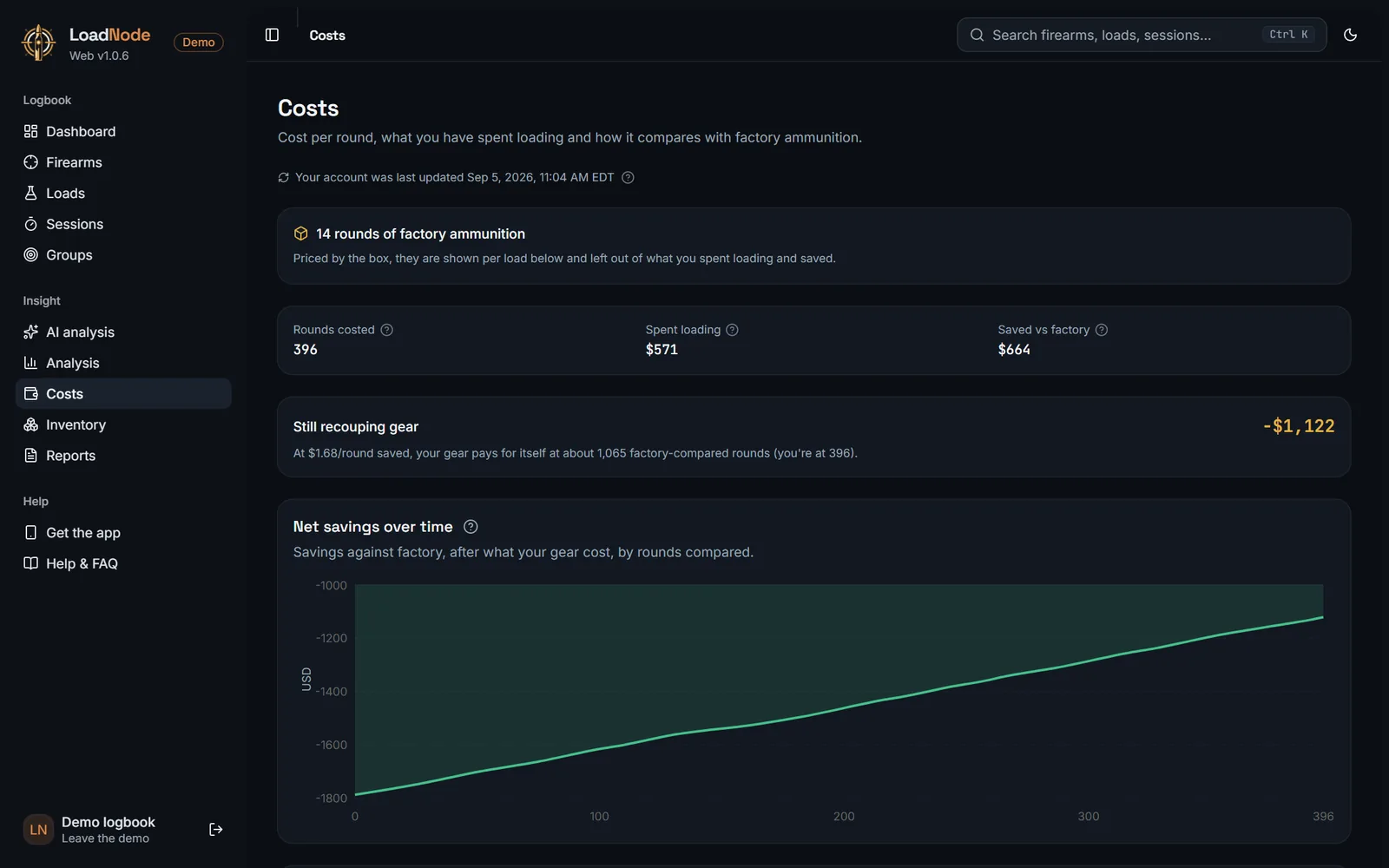
Cost per round for every load, what you have spent loading, how it compares with factory ammunition, and when your gear has paid for itself, worked out from the prices you entered in the app, in the currency you entered them in.
- Per round, per 100 and per session
- Brass life from every session of the load
- Inventory: what you have on the shelf and what is running low
Your rifles, barrels and every session
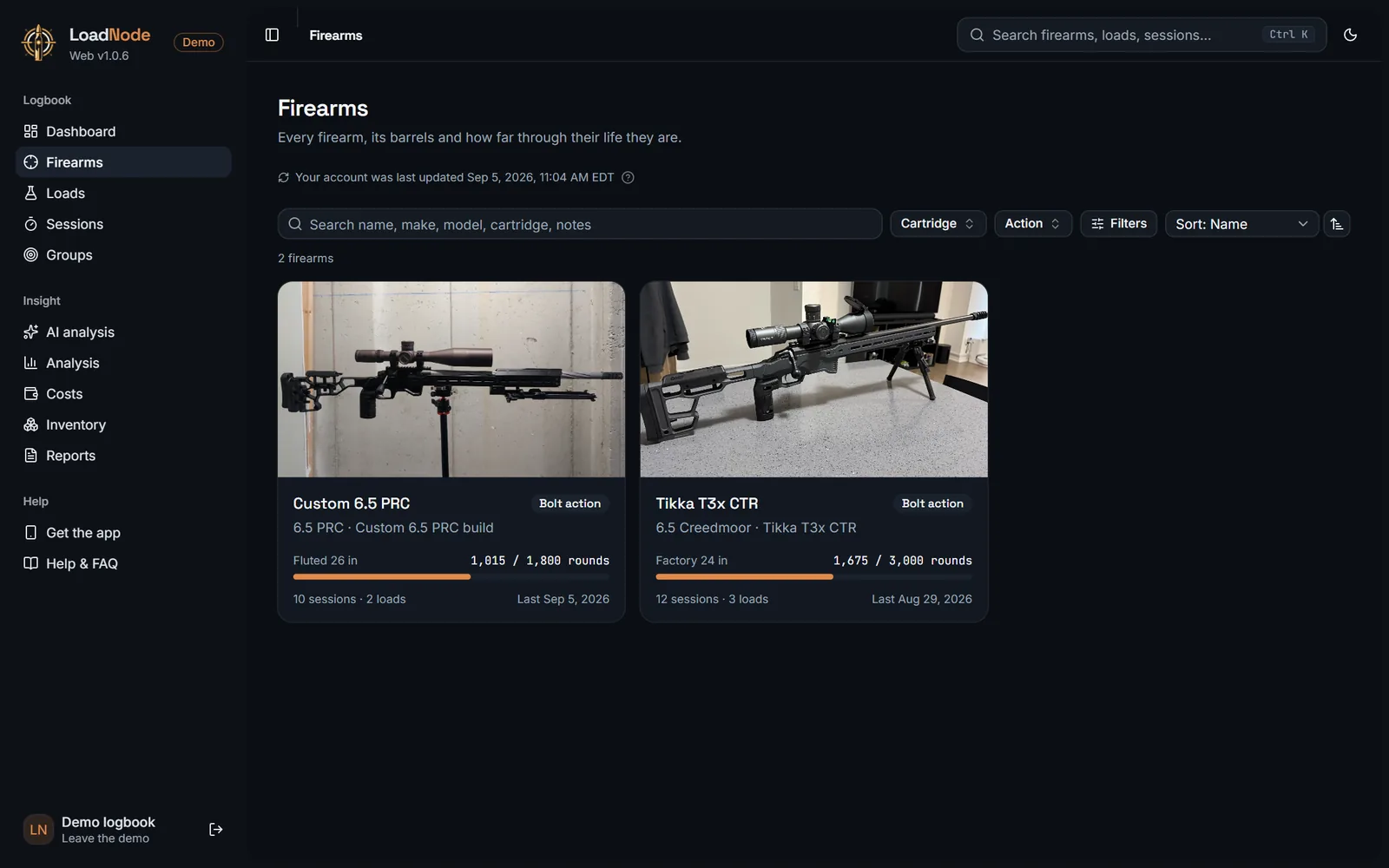
Each firearm with its photo, its barrels and how far through their life they are. Each session with its conditions, its cost, every string and every shot, and the setup the rifle had on the day.
- Barrel life used and throat wear over the rounds fired
- Search everything from anywhere with Ctrl K
- Light and dark, whichever you prefer
Do the paperwork where the screen is big
Target markup
Upload a target photo, set the scale, mark the point of aim and each hole, and get group size and mean radius in MOA or MIL. Shot an electronic target? Type the group in.
Loads and sessions
Add firearms, barrels, optics, suppressors, loads and sessions, then add and change rungs and log shots string by string.
Inventory and prices
Counts on hand, low-stock levels, component and factory ammo prices, equipment and your own components.
Notes and details
Notes, statuses, session details and conditions, and a photo for every firearm.
Safe deletes
If something changed on your phone since you opened it, the web tells you instead of overwriting it.
Both changes kept
Edit a load on the web and add a note to it on your phone: both arrive everywhere, merged field by field.
First, update the app to 2.1.10 or later
To use LoadNode Web, update LoadNode to 2.1.10 or later on every phone and tablet you use, and let it sync once. Older versions could quietly undo a change made on the web, so once an updated app has synced your account, they ask to be updated before they sync again, and editing on the web opens. Nothing is deleted: changes made on an older device stay on it and sync once it updates, so update every device before you edit on the web.
From the range to the big screen in three steps
Log at the range
Use the LoadNode app as you always do: loads, chronograph strings, groups from a photo. It works with no signal.
Update and sync
Update the app to 2.1.10 or later on every device. With Pro, cloud sync carries your logbook to your account whenever you are back online.
Open app.loadnode.app
Sign in with the same account on any computer. Everything you logged is already there, ready to analyse and edit.
Reloading software built around your logbook
Dashboard
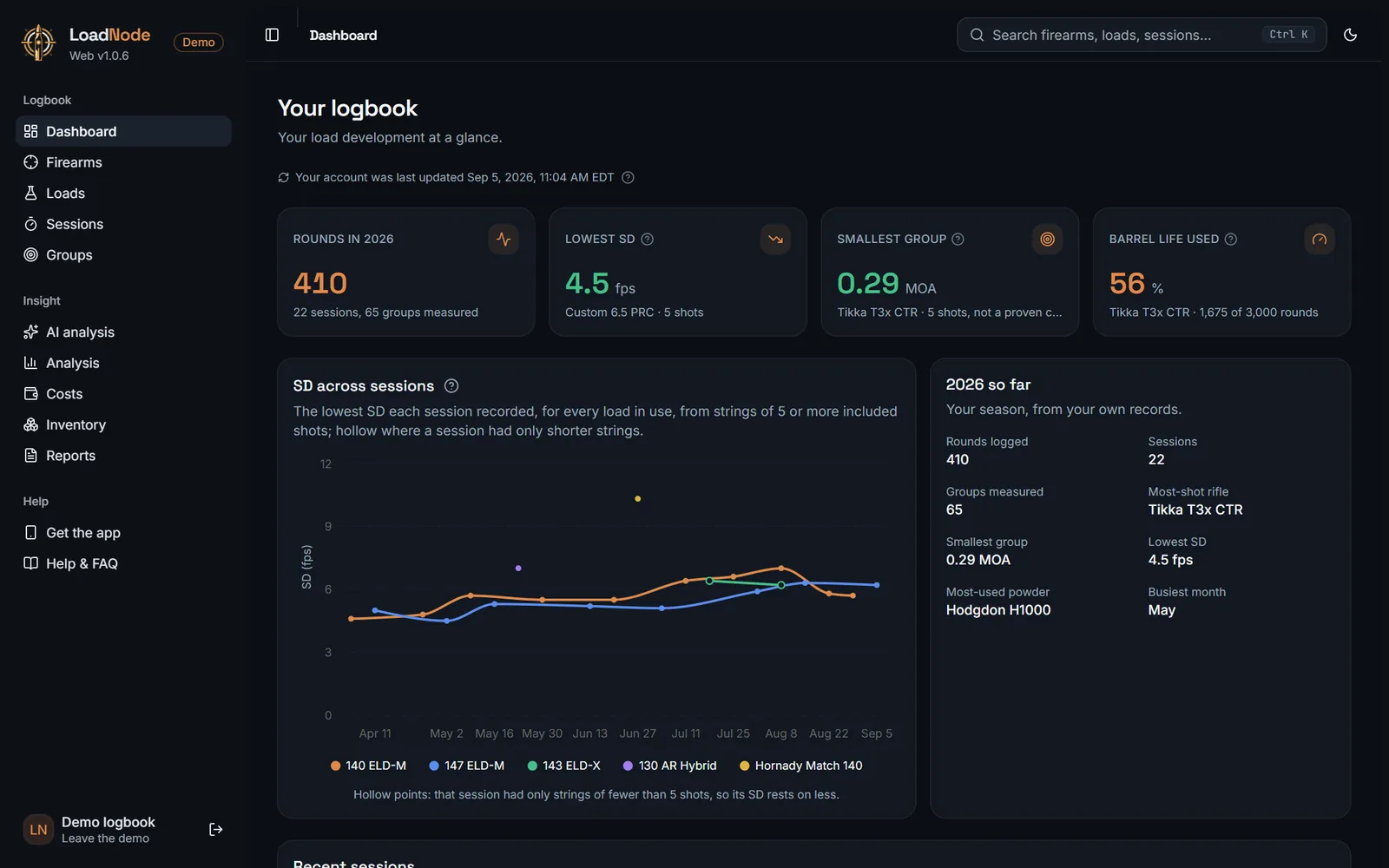
Rounds this year, lowest SD, smallest group and barrel life, at a glance.
Same logbook everywhere
Phone, tablet and computer show the same records, kept in step by cloud sync.
Printable reports
The session report, the firearm history and the Load Book, ready to print or save as PDF.
CSV export
Take your whole logbook into a spreadsheet whenever you want it.
Inventory
Components on hand, low-stock levels and what your sessions used, kept up to date right there.
Search and filters
Find any session, load, group or rifle in seconds, then sort and filter by anything.
Any computer
Windows, Mac, Linux, Chromebook or a tablet. Nothing to install or update.
Light or dark
Easy on the eyes at the bench at night, crisp in daylight.
Private by design
Only your own records, no ads and no tracking.
Take the tour, no account needed
The demo is a complete sample logbook: two rifles, a season of sessions and dozens of real groups on their targets, with costs, charts and an AI read. Click around everything; nothing you do is saved. Its loads and velocities are made up, so it is a tour, never load data.
LoadNode Web, answered
What is LoadNode Web?
LoadNode Web is reloading software that runs in your browser. It puts the logbook you keep in the LoadNode app on a full screen, and lets you work on it there: every firearm, load, session, shot and group, with target markup, charts, AI analysis, costs, inventory and printable reports. Nothing to install.
What do I need to do before I use it?
Update the LoadNode app to 2.1.10 or later on every phone and tablet you use, and let it sync once. 2.1.10 and later merge edits field by field, so a change made on the web and one made on your phone both survive. Older versions could quietly undo a web edit, so once an updated app has synced your account, older versions ask to be updated before they sync again, and editing on the web opens. Use LoadNode only on the web? Turn on editing from the notice at the top of the page. Nothing is deleted: changes made on an older device stay on it and sync once it updates, so update every device before you edit on the web.
Is it a separate subscription?
No. LoadNode Web is part of LoadNode Pro, one purchase for life that unlocks Pro in the app and on the web. Buy it in the app, or on the web at app.loadnode.app/get-pro. New to LoadNode? Create your account at app.loadnode.app/join. There is no subscription and nothing else to buy.
How does my data get there?
Through cloud sync, which is part of Pro. Log at the range in the app as you always do, and when it syncs, sign in at app.loadnode.app with the same account: everything is already there.
Can I add and edit records on the web?
Yes. Add firearms, barrels, optics, suppressors, loads and sessions, log shots string by string, mark the holes on a target photo, and keep your inventory and prices up to date. At the range the app is still the one in your pocket, and it works with no signal; whatever you change in either place reaches the other when they sync.
Which computers does it work on?
Any computer or tablet with a modern browser: Windows, Mac, Linux or a Chromebook. Open app.loadnode.app and sign in. There is nothing to download or update.
Can I try it without an account?
Yes. The demo is a complete sample logbook with real targets on their photos. Open it from the sign-in page with Experience LoadNode, or go straight to app.loadnode.app/demo. Its loads and velocities are made up: it is a tour, not load data.
Is my logbook private?
Yes. You sign in with your own account and see only your own records. LoadNode Web has no ads and no tracking, and LoadNode never gives load data: it only reports your own numbers back to you.
Your logbook is waiting
Already on Pro? Sign in at app.loadnode.app. New to LoadNode? Get Pro right here on the web, or start with the app, free, on iPhone, iPad and Android.
LoadNode is a logbook and analysis tool. It never provides load data: always develop loads from current data published by the component manufacturers. LoadNode Web works on the same records you keep in the LoadNode app; using it needs the app at 2.1.10 or later on every device.