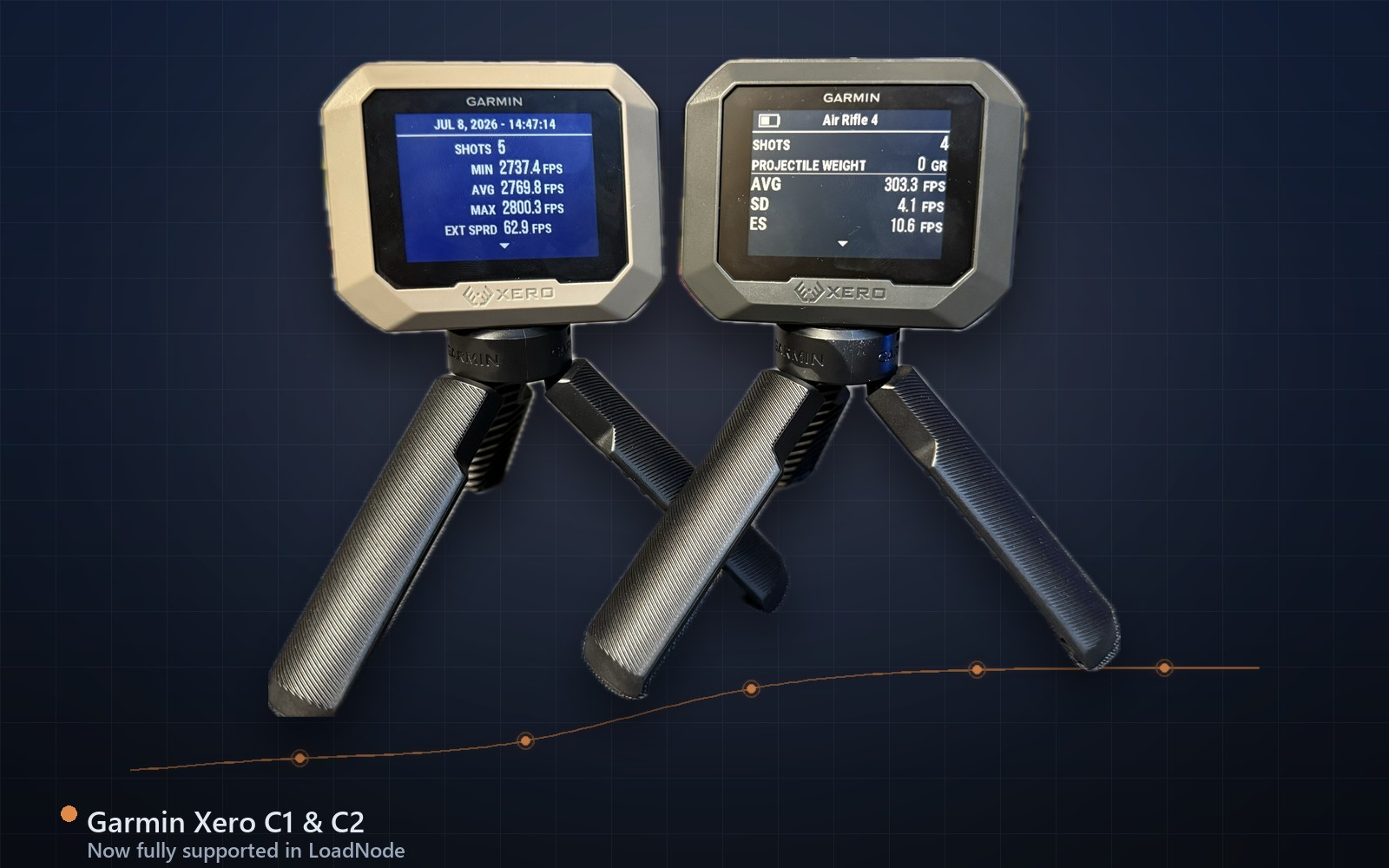
LoadNode now fully supports the Garmin Xero C2: and it does something the app has never done before: live capture. Press Go Live, take a shot, and the velocity lands on your charge ladder the instant the bullet crosses the radar. No ending the session, no pulling a file, no retyping numbers off the device screen. This guide covers what the Garmin Xero C2 adds, how live capture works in LoadNode, and how it compares to the C1 you may already own. LoadNode is currently in pre-release beta, so live capture is available to beta testers today and to everyone at launch. Chronograph sync and live capture are part of LoadNode Pro, a one-time purchase with no subscription; logging velocities by hand is free.
What the Garmin Xero C2 does differently
The original Xero (C1) is a passive logger: it records a session on the device, and an app reads that saved session back afterward. The Garmin Xero C2 is a live, two-way chronograph: it can stream each shot to a paired app in real time while the string is still in progress. LoadNode uses that channel directly, so the app mirrors what the device sees, shot by shot, with the same per-shot velocity the Xero itself measured.
That single difference changes the range workflow. Instead of shooting a group, walking through the device menus, and syncing at the end, you open the charge you’re testing, tap Go Live, and watch the log fill as you fire. Standard deviation and extreme spread update on every shot, so you can see a string tightening or opening up in real time.
Go live: real-time capture on your ladder
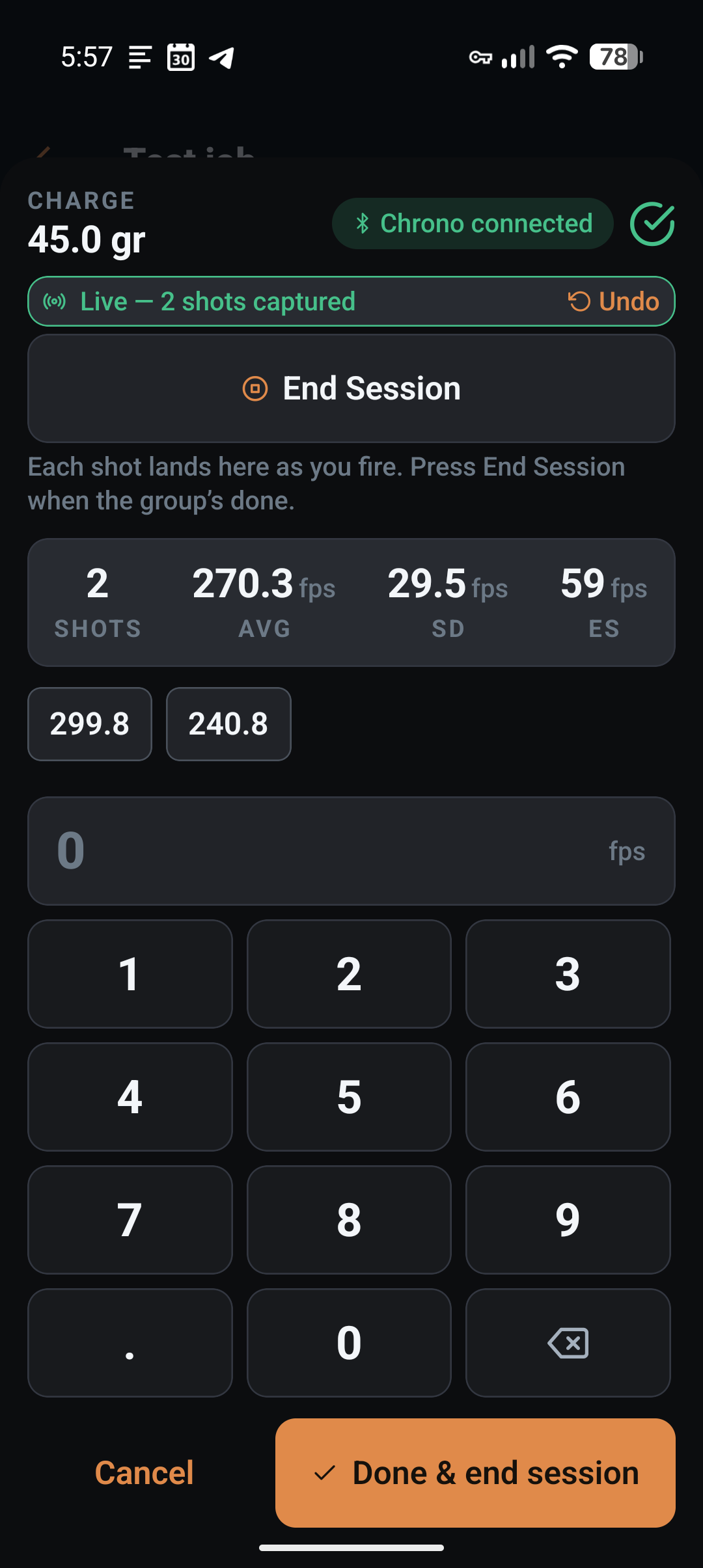
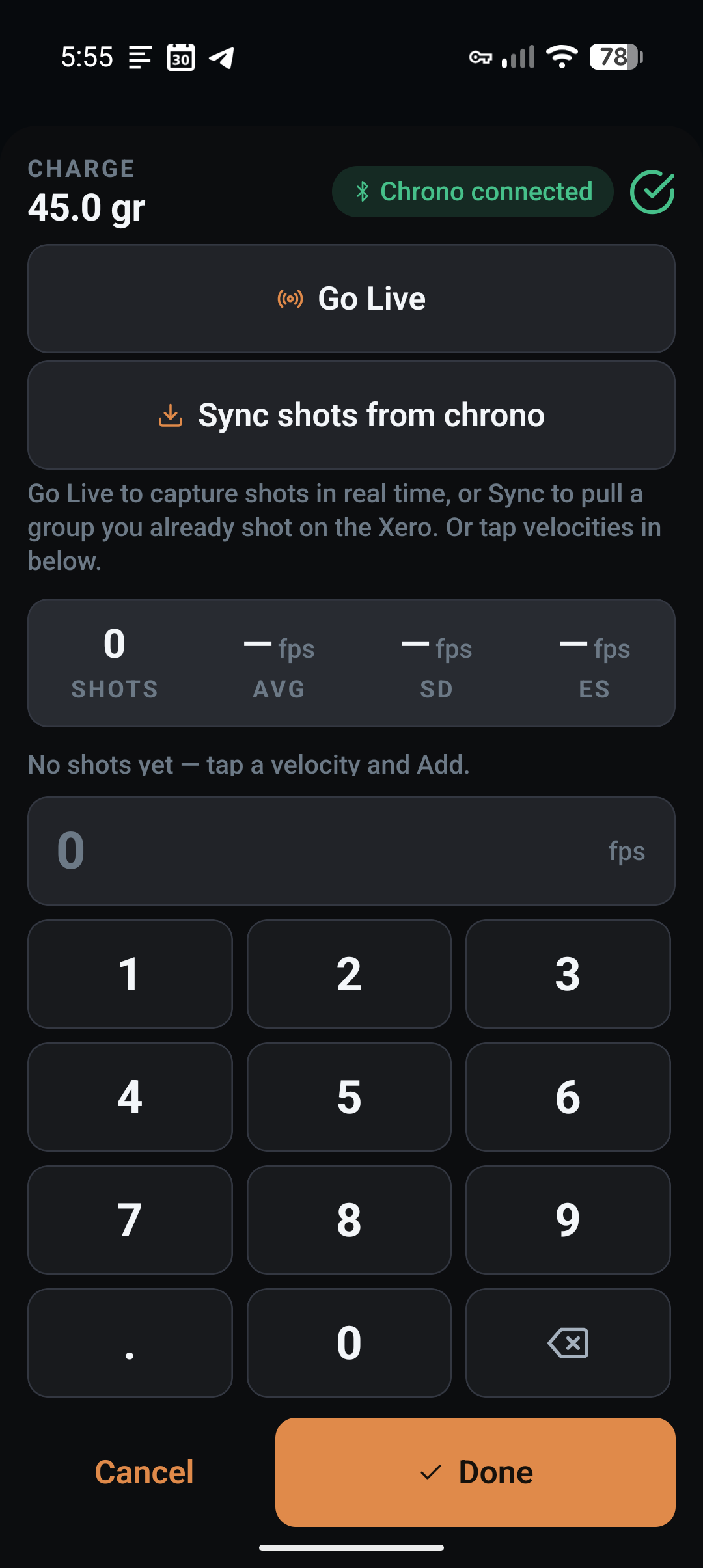
Live capture is scoped to the charge you have open. When you press Go Live, LoadNode starts a session on the Garmin Xero C2 and every detected shot is written straight to that charge’s shot log: the same list, the same running SD/ES and long-press editing you get from a manual entry or a saved-session pull. Fire a shot, it appears; fire the next, it appears. A one-tap undo removes the last shot if a sighter or a neighbour’s shot sneaks onto the radar.
Move to the next charge simply by opening its log: the device session keeps running and new shots follow the charge you’re on. Pressing End Session (or closing the log) ends the session cleanly on the device and saves it. Because every live shot is tagged with the device’s own session and shot identity, re-syncing that saved session later never double-counts a thing: the shots you captured live are recognised and skipped.
Setting up a live session the right way
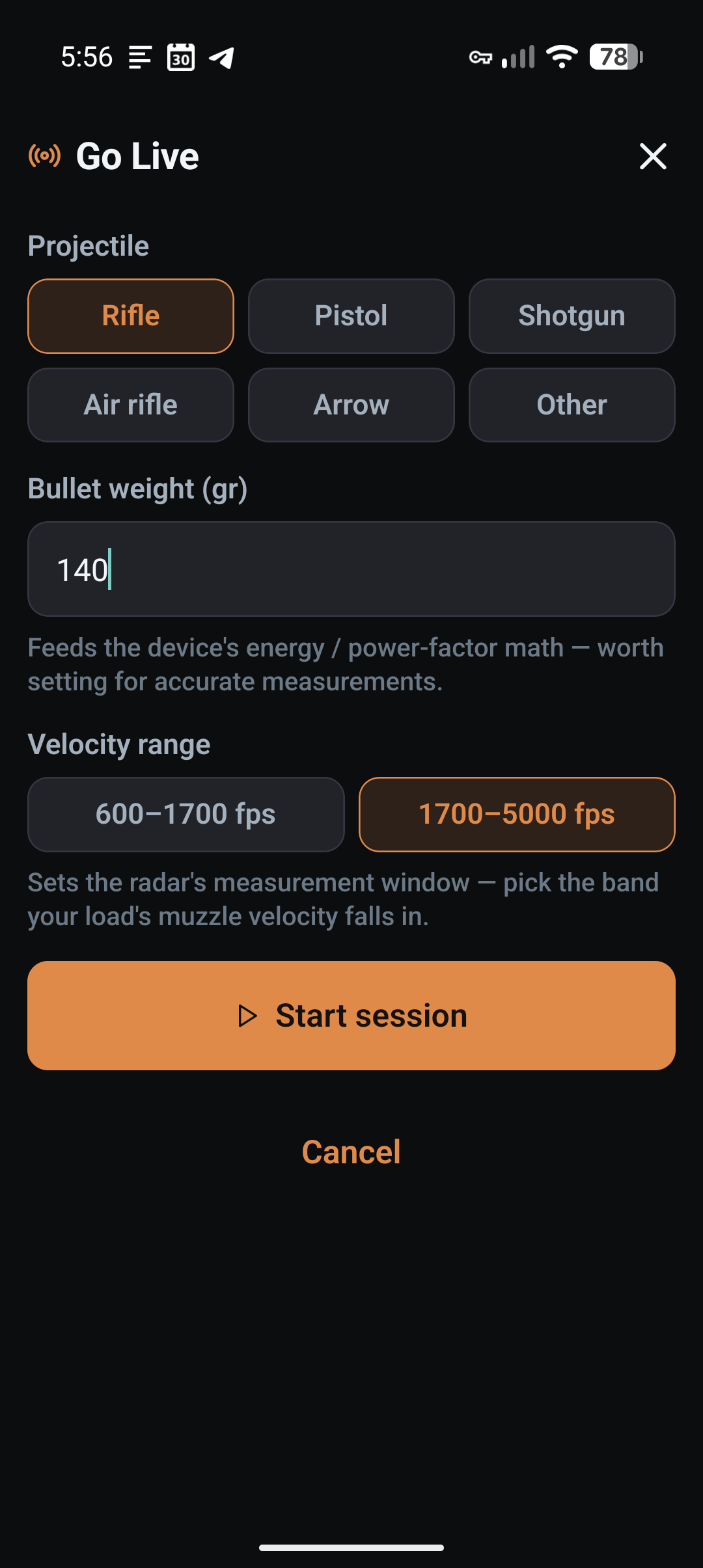
Before the first shot, LoadNode asks for the same three things the Garmin app does, because they drive measurement quality:
- Projectile type: rifle, pistol, shotgun, air rifle, arrow or other.
- Bullet weight: pre-filled from the bullet on your recipe. This feeds the device’s energy and power-factor math.
- Velocity range: for firearms, either 600–1,700 fps or 1,700–5,000 fps. This calibrates the radar’s measurement window; air rifle and arrow use the slow band automatically. Picking the band your load actually lives in keeps readings clean.
Your last setup is remembered, so a repeat trip to the same rifle is two taps: Go Live, then Start.
Garmin Xero C1 vs C2: which one, and does LoadNode support both?
LoadNode supports both: fully. Everything you can do with a C1, you can do identically with a Garmin Xero C2: browse the sessions stored on the device, pick one, and pull it onto a charge. The C2 simply adds the live option on top. Here’s the honest breakdown:
| Xero C1 | Garmin Xero C2 | |
|---|---|---|
| Pull a stored session onto a charge | Yes | Yes: exactly like the C1 |
| Browse the device’s saved sessions (type, weight, shots, avg) | Yes | Yes |
| LoadNode “Go Live” (real-time capture) | No | Yes |
| When velocities can reach the app | After you end & sync | The instant each shot fires: or after, your choice |
| Per-shot SD / ES on the ladder | Yes (after sync) | Yes (live & after) |
| Start a session with projectile / weight / velocity range | On the device | From the app or the device |
In short: the workflow you already know from the C1 carries over one-to-one, and the Garmin Xero C2 adds the live layer on top. Shoot now and sync later, or watch it land in real time: either way the velocities end up in the same place, attached to the exact charge weight, ready for charge comparison and your DOPE.
Why live capture matters for load development
Load development is a discipline of small differences. Watching SD and ES resolve shot by shot means you catch a bad string while you can still do something about it: a flyer, a chrono that clipped a shot, or a string that is clearly not going to give you a usable sample before you burn the rest of the rounds. When the velocities land on the ladder automatically, there’s no transcription step to introduce an error, and nothing to forget before you pack up. The number LoadNode stores is the number the Garmin Xero C2 measured, carried across at full precision instead of rounded off by hand.
From there it flows into everything else: population SD/ES computed the chronograph-correct way, an honest comparison across the charges in your ladder, and a truer muzzle velocity to build your DOPE card on. If you’re new to chronographs generally, start with how to use a chronograph, then come back to live capture.
The Xero measures each shot with Doppler radar rather than the optical sensors older chronographs use: see how ballistic chronographs work for the background. LoadNode’s job starts the moment the shot is measured: turning that number into an honest read of your own data.
LoadNode is a logbook and analysis tool. It never tells you what to load: no charge weights, no recipes, no “work up to.” Always consult current published load data from your component manufacturers and follow safe handloading practice. You are responsible for the safety of every round you build.