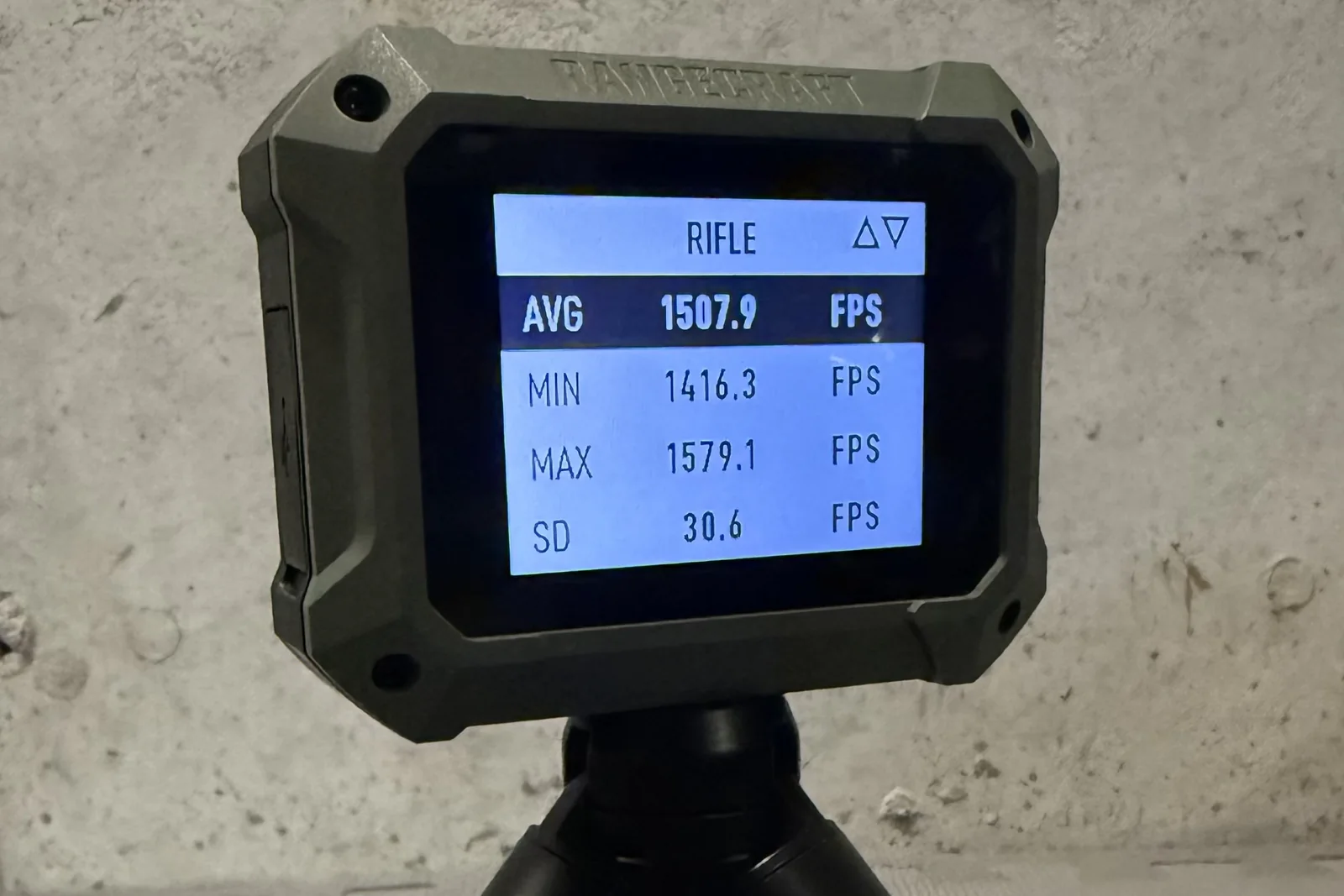
A radar chronograph changes how a day at the bench feels. There are no sky screens to align, no lighting to fret over, and no muzzle blast knocking over a stand. The Athlon Rangecraft Velocity PRO is a Doppler radar chronograph that Athlon lists at 65 to 5,000 fps and says works with suppressors and muzzle brakes. This guide to the Athlon Rangecraft Velocity Pro covers where to put the unit, how to set up a session on it, and how to bring the shots into a logbook without retyping a single number.
How a radar chronograph differs from an optical one
An optical chronograph times a bullet as it crosses two screens that sense light and shadow. That works well until the light changes or a shot passes off-axis. A Doppler radar unit sends out a radio signal, listens for the reflection from the moving bullet, and reads speed from the shift in frequency. Nothing sits downrange, and the bullet does not have to pass through a window.
That removes a family of problems: cloud shadows, glare off a bright backstop, and the classic bullet strike on a sky screen frame. It does not remove every problem, and placement is where most real-world mistakes happen. If you are weighing the two designs, radar vs optical chronograph goes through the trade-offs in more depth.
Where to place the Athlon Rangecraft Velocity Pro
Placement matters more than any setting. The goal is to let the radar see the bullet leave the muzzle and follow it downrange along a clean line.
- Beside or just behind the muzzle. Keep the unit close to the line of fire so the beam looks down the flight path rather than across it.
- Aimed downrange. Point it along the bullet path, not at the target stand or the berm.
- Level. A radar tilted toward the ground or the sky may lose the bullet early.
- Stable. A unit on a wobbly stand can drift out of alignment between strings. Check it after you move anything.
Read the manufacturer’s own instructions for exact mounting; they know their antenna better than any third party. Shooting beside other people on a busy line deserves extra care too, because a radar listens to the whole scene, not only your rifle.
Setting up a session on the radar
The Athlon Rangecraft Velocity Pro keeps its own record of every session, so what you enter on the device decides what you can pull off it later. Two settings do most of the work: the session type and the projectile weight. Set the weight to the bullet you are actually firing. It is a small field and an easy one to forget when you switch loads partway through a morning.
Start a new session for each load you want to keep separate. One long session containing three different loads is hard to untangle later. A habit that helps: name the load, start the session, fire the string, end the session.
Pairing the Athlon Rangecraft Velocity Pro with LoadNode
Athlon support is new in LoadNode 2.0, on Android and iPhone, and chronograph sync is a Pro feature. The Free vs Pro table shows the full split. Pairing takes four steps:
- Open the Chronograph screen by tapping Chrono on the Charge Ladder.
- Tap Scan for chronograph.
- Tap the radar in the list. Its name starts with AthlonVPR.
- Type the six-digit code the radar shows. It is a new code each time you pair.
One gotcha catches nearly everyone once. The radar talks to one app at a time, so close the Athlon Ballistics app before you scan. If LoadNode cannot find the unit, check that first. Under Settings, then Chronograph, you can also turn on auto-connect, which reconnects the last chronograph when the app starts.
Live shots while you shoot
With a shot log open, start a session on the radar and fire. Each shot lands in the shot log as it happens, with average, SD and ES updating every round. There is no Go Live button; the session on the radar is the trigger. The SD shown is population SD, the chronograph convention, with flyer exclusion. For a refresher on the numbers, see what is a good SD for reloading.
You end the session on the radar, not in the app. Closing the shot log leaves the radar’s session running, so if you walk away from the bench with a session open, later shots will still be recorded.
Syncing a stored session afterward
Sometimes live capture is not what you want. Fire the string, end the session on the radar, then tap Sync shots from chrono in the shot log. LoadNode lists the stored sessions, with projectile weight, shot count and average filled in on each row so you can tell them apart. Pick one, review the shots, then choose Append or Replace.
If you connect partway through a session, shots from that point on land in the log. A later sync adds only the shots you missed, with no duplicates, so connecting late costs you nothing. The step-by-step version lives in the chronograph section of the FAQ. If you also own a Garmin unit, the Garmin Xero C2 live capture guide covers that device.
Practical gotchas
- Check the projectile weight on the radar before each string, since the stored session carries it.
- Count the shots. If you fired ten and the log shows nine, find out why before you trust the average.
- Do not trust one string. Small samples mislead. A ten-shot SD from a single session is an estimate with wide error bars, not a property of the ammunition.
- Re-pair when asked. The code changes each pairing, so keep the radar’s screen in view when you reconnect.
None of these habits are specific to the Athlon Rangecraft Velocity Pro. For routines that apply to any unit, how to use a chronograph is a good companion read.
Why this setup is worth the effort
A radar that sits beside the bench and needs no downrange hardware makes it easy to chronograph every shot instead of a sample. That is where radar earns its place. The Athlon Rangecraft Velocity Pro supplies the readings, and the logbook is where they become useful, tied to the recipe, the firearm and the conditions of that day.
LoadNode is local-first: no account is needed, there are no ads or tracking, and it never tells you what to load. It records what you fired and shows what your own data says. With the Athlon Rangecraft Velocity Pro paired, the shots are in the log before you leave the bench.
Handloading is an adult activity done at your own risk. LoadNode is a logbook and analysis tool: it never provides load data. Always develop loads from current published manufacturer data and work up safely.